Why I dislike 1&1

I couldn’t find a lot to like about 1&1.

Here are some of the reasons why I ditched them …

  • Loyal existing customers can’t benefit from the same offers as new customers
  • They took over 9 months to support the .me TLD in their Control Panel tools
  • You can’t add TXT DNS records for domains hosted by 1&1 (so you can’t use SPF)
  • They don’t renew UK domain names until the very day of the domain expiry
  • You can’t register a new domain name with different registrant details
  • Their anti-spam service sucks
  • Their support people discuss your personal account details with third parties
  • My web sites hosted by 1&1 kept suffering unexplained downtime
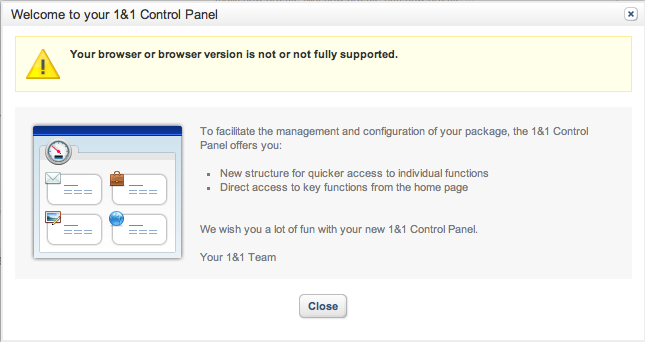
  • They ‘improved’ their Control Panel and removed support for Macs!

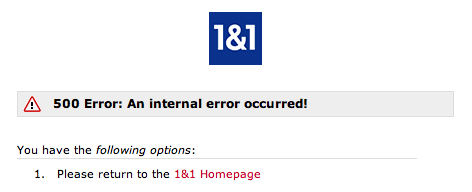
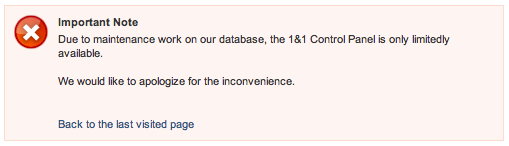
I have never known their service status page show anything other then “All systems functional” even when their own web sites are failing with spurious error messages:

Finally, to add insult to injury they rip you off when you leave.

1&1 invoiced me on 12th May for six months of pre-paid hosting service from 10th May to 10th November. I finally moved over all my domains to another provider and sent 1&1 notice of contract cancellation on 3rd June.

I contacted 1&1 and asked when my refund would be processed. Their response was “the charges are non refundable“. I asked them to re-instate my account in that case and was told “We regret to inform you that your account is already terminated to which our system can no longer activate.”

I had been a customer of 1&1 for over 5 years and that’s how they treat me.

Great customer service – thanks 1&1 !

Xcode freezing when opening a project?

A possible solution to Xcode 4 freezing after you open a project:

If your Xcode project source path contains a space then rename it and try opening the project again. This is the most likely cause.

If it still freezes after renaming then do the following:

1. (Force) Close Xcode
2. Delete these cache files:

rm ~/Library/Caches/com.apple.dt.Xcode
rm ~/Library/Preferences/com.apple.Xcode.plist

3. Restart Xcode & keep your fingers crossed!

Securing Dropbox

After the well publicised Dropbox security failings, I started searching for a solution which would allow me to encrypt private data held in my Dropbox while still having easy access to it from my personal Mac.

I could create a Mac encrypted disk image but this would be unwieldy to manage and probably result in large file updates whenever any of the contents were changed.

A more elegant technical solution is to create an encrypted user-space filesystem. It’s a bit more work to setup and you will need a combination of tools, but it does allow for a much more flexible and manageable configuration.

Instructions:

/usr/bin/ruby -e "$(curl -fsSL https://raw.github.com/gist/323731)"
  • Install Apple Xcode – this can be downloaded from the Apple Developer site
  • Install the latest EncFS encrypted filesystem (v1.7.4 at time of writing):
sudo brew install encfs

I want to make this installation as secure as possible so I’m not going to store the EncFS key file on Dropbox. To accomplish this I use a neat trick.

We’re going to create a new encrypted volume, but do this locally first so the EncFS key is never synchronised with Dropbox:

encfs ~/Desktop/Secure ~/Documents/DropSec

Answer ‘yes’ when prompted to create the new folders and choose ‘p’ for pre-configured paranoia mode (256-bit AES encryption). Enter a secure password when prompted and you’re done.

Now the filesystem has been created we can deal with the key.

umount ~/Documents/DropSec
mkdir ~/.encfskeys
mv ~/Desktop/Secure/.encfs6.xml ~/.encfskeys/dropsec.xml

Remove the /usr/local/bin/encfs symbolic link …

rm /usr/local/bin/encfs

… and replace with a simple wrapper script.

Use a text editor to create the following script:

#!/bin/sh
# Wrapper to EncFS
REALENCFS="/usr/local/Cellar/encfs/1.7.4/bin/encfs"
MYUSER=`whoami`
export ENCFS6_CONFIG="/Users/${MYUSER}/.encfskeys/dropsec.xml"
$REALENCFS "$@"

Don’t forget to make the new wrapper script executable:

chmod 555 /usr/local/bin/encfs

Create a dummy key to ensure that the Macfusion plugin will recognise the EncFS volume:

touch ~/Desktop/Secure/.encfs6.xml

Now move the entire ~/Desktop/Secure folder into your Dropbox:

mv ~/Desktop/Secure ~/Dropbox/

To check the secure volume settings use:

ENCFS6_CONFIG="/Users/youruser/.encfskeys/dropsec.xml" encfsctl info ~/Dropbox/Secure

To change your secret password use:

ENCFS6_CONFIG="/Users/youruser/.encfskeys/dropsec.xml" encfsctl passwd ~/Dropbox/Secure

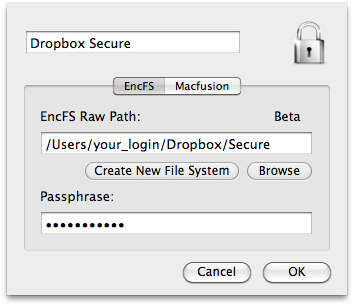
Use the Macfusion GUI to mount and unmount the volume when you need it.

  • The EncFS Raw Path is /Users/youruser/Dropbox/Secure
  • The Passphrase is the password you gave when you created your EncFS volume
  • The Mount Point is the local (unencrypted) folder where you access your secure folder (in this example we have used /Users/youruser/Documents/DropSec)

You should now have an encrypted volume in your Dropbox which you access via your local ~/Documents/DropSec mount.

The security of the ~/.encfskeys/dropsec.xml key file is of paramount importance. This is the EncFS decryption key which must stay in that folder. If you delete this file then all your encrypted data is gone forever, so keep a secure backup somewhere else just in case.

UPDATE: Read this post for a new method of creating a secure Dropbox folder.
Sponsor Me!

I have an unwritten rule with friends and colleagues – don’t ask me to sponsor you and I won’t ask you to sponsor me. Generally this works well, but as some people have not got the message I’ll spell it out.

I’m glad that you feel so passionately about a cause that you are prepared to dedicate your time and energy to it, but please don’t think badly of me because I don’t. I have my own list of charities that I support and I don’t force them on you.

Don’t try and convince us that you have no personal interest in climbing Mount Kilimanjaro, swimming the English Channel or running the London Marathon. It’s almost certainly not an altruistic endeavour. You probably would have done it without any sponsorship, in fact in some cases committing to a minimal level of sponsorship was a necessary evil to enable you to participate.

To sum up, if you want me to subsidise little Johnny’s playgroup then just be honest and say that. Don’t try and dress it up as a grand athletic event so impressive that I will feel compelled to shower the participants with cash to show my appreciation.

Customer Data Insecurity

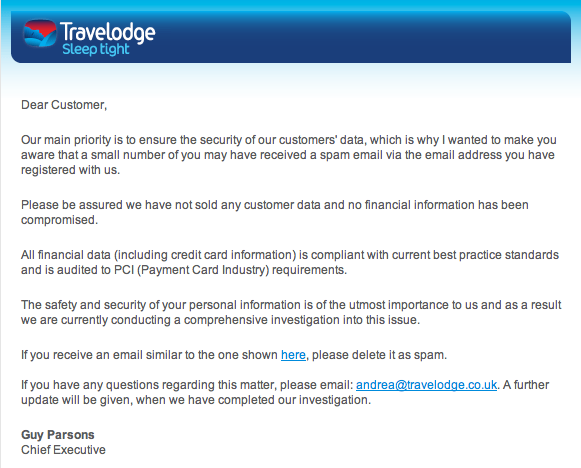
In the last couple of weeks I’ve received separate emails from Sega and Travelodge informing me that my personal details have been ‘stolen’ by hackers and may be used in phishing attacks against me. These are just a couple in a long line of examples of well publicised hacks against major online sites.

Actually this likely won’t affect me at all. I have no faith in web sites keeping my personal data safe and don’t trust the security of online retailers at all. My email is delivered via collaborative filtering anti-spam techniques and I rarely see spam nowadays anyway.

I use a different secure password for every web site and never divulge real personal details in online registrations. They don’t have my real date of birth, mother’s maiden name or anything else considered valuable information by the hacker community.

Don’t forget that the retailers have no idea what your real personal details are, so you are perfectly entitled to make up what you want when you register with them. I strongly advise you to invent a pseudo-identity with an alternative date of birth and security credentials. As long as you keep note of what these are then you won’t have a problem with authentication and you won’t be exposed to serious data theft if your details are exposed.

It’s disappointing, but not surprising, that online retailers are being compromised in this way. Despite Travelodge’s claims that their “main priority is to ensure the security of our customers’ data” I don’t imagine that customer data security is at the top of the average retailer’s requirements list when it comes to web site design.

As Travelodge are so fond of saying – “Sleep tight” !