Remote SSH using Back To My Mac

One of the less well publicised features of Apple’s iCloud service is Back To My Mac.

This service provides a private IPv6 network which you can use to securely connect all your Mac hosts.

To use BTMM you will need to upgrade all your Macs to OS X Lion and sign them all into the same Apple iCloud account. You will also need your unique BTMM account number.

When you are signed into iCloud you can discover your BTMM account number as follows:

$ dns-sd -E
Looking for recommended registration domains:
Timestamp     Recommended Registration domain
12:07:46.550  Added     (More)               local
12:07:46.550  Added                          icloud.com
                                             - > btmm
                                             - - > members
                                             - - - > 123456789

The final line shows your individual BTMM account number.

For example, if you Computer Name (set in System Preferences > Sharing) is mymac and your BTMM account number is 123456789, then the fully qualified domain name of the host is mymac.123456789.members.btmm.icloud.com.

If you have spaces in your Computer Name then replace them with dashes, e.g. “My Mac” becomes the hostname my-mac.

To test connectivity to your remote host use ping6, e.g.

ping6 mymac.123456789.members.btmm.icloud.com

To list all the SSH enabled hosts on your domain:

dns-sd -B _ssh._tcp

You would SSH into your host using this command:

ssh -2 -6 username@mymac.123456789.members.btmm.icloud.com

Note that you will only be able to communicate with the other hosts on your iCloud private network if the Mac you are using is also signed into the same iCloud account.

You can also use an open SSH connection to access your non-Apple hosts on your internal network by using SSH port forwarding. This tunnels the destination traffic over the BTMM private network via your remote Mac.

For example, if you have a web server running on a host with the IP address 192.168.1.2 then you can use this SSH command to set-up a forwarded port:

ssh -2 -6 -L 8080:192.168.1.2:80 username@mymac.123456789.members.btmm.icloud.com

To access the remote host from your local machine you would go to http://127.0.0.1:8080/

Uninstall Symantec Enterprise Vault Client on Mac OS

Since Symantec doesn’t provide an uninstaller script for their Enterprise Vault Client, here’s how to remove it on Mac OS.

Open a Terminal window and execute these commands:

launchctl unload -D user /Library/LaunchAgents/com.symantec.ev.daemon.plist
sudo killall -m  "Enterprise Vault .*"
sudo rm -f /Library/LaunchAgents/com.symantec.ev.daemon.plist
sudo rm -rf "/Library/PreferencePanes/Enterprise Vault.prefPane"
sudo rm -rf "/Library/Application Support/Symantec Enterprise Vault"
rm -rf "~/Library/Application Support/Symantec Enterprise Vault"

Holidaylight Robbery

Center Parcs marketed itself as the original “British holiday the weather can’t spoil”, but they are doing a pretty good job of spoiling holidays without the weather.

Consider the pricing matrix above. What could possibly cause the astronomical price hike in that one specific week? It’s the half-term school holidays.

I do expect to have to pay a premium because of the school holidays. 50% would seem acceptable to me, but a 300% price hike? Even Michael O’Leary would find that hard to defend!

I have studied Economics, I know all about supply and demand and differential pricing. The prices above do not seem to be not reflecting a shortage of supply however. There is no “only x remaining” in the middle week, so I can only deduce that the huge cost spike is a deliberate and cynical manipulation of the pricing model to take account of school holidays.

While some families might bite the bullet and succumb to the exorbitant price tag, their stay must be tinged with bitterness at being financially exploited in this way. If you are being ripped-off so badly before you even arrive, what more do they have in store for you while you’re there? It’s not the kind of business that I would like to spend my money with.

Center Parcs certainly doesn’t have a monopoly on this exploitative behaviour. It’s an industry-wide phenomenon which has been allowed to run wild.

The blatant profiteering at the expense of parents and teachers is discrimination on a massive scale. Isn’t it time the UK Government acted on these unfair business practices?

Android 4.0 turns GET into POST

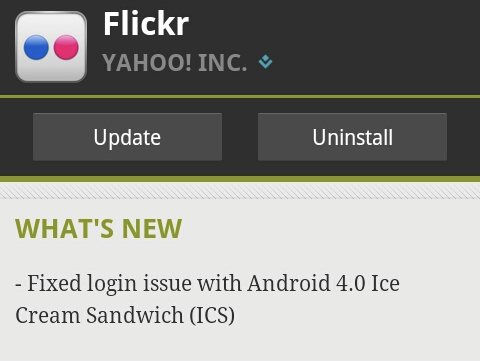
After upgrading to Android 4.0 ‘Ice Cream Sandwich‘ I found that some of my existing apps weren’t working as expected.

On deeper investigation I discovered the culprit. When installed on devices running ICS the apps made HTTP POST requests when they were programmed to be GET requests.

It appears that Google have subtly changed the working of the java.net.HttpURLConnection class – without telling anyone!

The Android package reference documentation has this little gem tucked away in the class overview notes:

HTTP Methods

HttpURLConnection uses the GET method by default. It will use POST if setDoOutput(true) has been called. Other HTTP methods (OPTIONSHEADPUTDELETE and TRACE) can be used with setRequestMethod(String).

My now non-functional Android apps did indeed call setDoOutput, but in Android releases prior to 4.0 this did not result in the HTTP method being changed from a GET to a POST.

Even explicitly setting setRequestMethod("GET") does not fix the problem. Basically if you don’t want your app to POST, you must not call setDoOutput.

The apps have not changed, there is nothing referencing this change in the API Differences Report, but the behaviour is definitely different in Android 4.0.

Could this be what’s behind the flurry of Android Market app updates for ICS-related fixes?

Dropbox & EncFS on OS X Lion

I previously wrote about a method for creating a super-secure filesystem using Dropbox’s cloud storage.

After updating to Mac OS Lion I struggled to get the MacFusion GUI to work and so I wrote an application to automate the mounting and unmounting of the EncFS filesystem.

I also took the opportunity to switch from the now abandoned MacFUSE to Fuse4X, which is a properly maintained fork of MacFUSE started in June 2011.

The install procedure is much simpler than before, you install Fuse4X and EncFS, but instead of using the MacFusion GUI you just call my script instead.

To the instructions!

First download and install Fuse4X and a version of EncFS which uses the Fuse4X APIs. Thanks to Simone Lehmann for providing an EncFS Mac installer at http://www.lisanet.de/?p=128 (also mirrored here).

To create a new encrypted volume (stored locally at first to prevent the EncFS key from being synchronised with Dropbox):

encfs ~/Desktop/_Encrypted ~/Documents/_DropSec

Answer ‘yes’ when prompted to create the new folders and choose ‘p’ for pre-configured paranoia mode (256-bit AES encryption). Enter a secure EncFS password when prompted and you’re done.

Now the filesystem has been created we can deal with securing the key.

umount ~/Documents/_DropSec
mkdir ~/.keys
mv ~/Desktop/_Encrypted/.encfs6.xml ~/.keys/dropsec.xml

The commands above move your key from the EncFS filesystem into a hidden folder in your (local) home directory

Now move the entire ~/Desktop/_Encrypted folder (minus your key) into your Dropbox:

mv ~/Desktop/_Encrypted ~/Dropbox/

Finally download my DropSec application and copy it to your Applications folder.

The first time you run DropSec it will prompt you for your EncFS password which it stores in your local login keychain. The password must match the secure password you set in a previous step.

To mount or unmount the encrypted filesystem simply run the DropSec app. For convenience copy it to your Mac OS Dock for quick access.