Android shortcuts

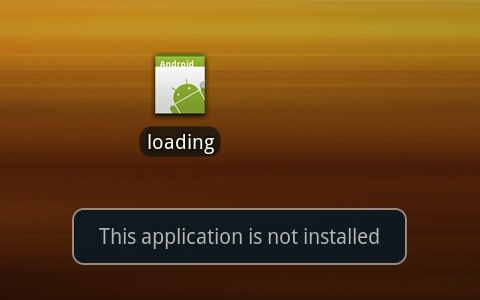
I’m frequently being offered app updates via Android Market. Most of these work without a hitch, but occasionally I update an app and then find that it no longer runs from an existing shortcut. The device reports “Application is not installed on your phone“, or the shortcut icon has disappeared altogether.

The problem stems from the way in which Android creates shortcuts. An Android shortcut is not simply an alias to the application binary, it’s actually an Intent that directly specifies the ComponentName it should run.

It’s not enough to use the same manifest package name and digital certificate when you publish an update to your app.

For any existing shortcuts to carry on working you also need to ensure that the ComponentName is identical, which means making the entry point Intent the same as it was in the previous version.

In short, keep your ACTION_MAIN Intent the same and your app will update cleanly.

Adobe retires Flash for mobiles

In early 2010 Apple announced the eagerly anticipated iPad and iPhone 4. They were hugely successful product launches, but at the same time Apple also came under increasing pressure from customers and developers to support Adobe Flash on their shiny new iOS devices.

In reaction to the criticism Steve Jobs delivered a scathing personal attack on Adobe Flash in an Apple article entitled “Thoughts on Flash“.

Jobs began by saying he “wanted to jot down some of our thoughts on Adobe’s Flash products so that customers and critics may better understand why we do not allow Flash on iPhones, iPods and iPads“.

In his critique Jobs went on to detail six main reasons why Apple was so staunchly against Flash, which I have paraphrased below:

  1. Open. Adobe’s Flash products are 100% proprietary. By almost any definition, Flash is a closed system.
  2. Full web. Adobe has repeatedly said that Apple mobile devices cannot access “the full web” because 75% of video on the web is in Flash. What they don’t say is that almost all this video is also available in a more modern format, H.264, and viewable on iPhones, iPods and iPads.
  3. Reliability, security and performance. Symantec recently highlighted Flash for having one of the worst security records in 2009. We also know first hand that Flash is the number one reason Macs crash.
  4. Battery life. H.264 can be decoded in hardware which doubles battery life during video playback.
  5. Touch. Flash was designed for PCs using mice, not for touch screens using fingers.
  6. Cross platform. We know from painful experience that letting a third party layer of software come between the platform and the developer ultimately results in sub-standard apps and hinders the enhancement and progress of the platform.

Reading Jobs’ article again really highlights his genius for strategic vision.

New open standards created in the mobile era, such as HTML5, will win on mobile devices (and PCs too). Perhaps Adobe should focus more on creating great HTML5 tools for the future, and less on criticizing Apple for leaving the past behind.

Steve Jobs
April, 2010

How prophetic that closing paragraph was in light of Adobe’s announcement just 18 months later to cease development of Flash for mobile devices, and focus on HTML5 instead.

The news of this dramatic Adobe turnaround came in an official blog post from Danny Winokur, VP & General Manager, Interactive Development at Adobe.

Flash to Focus on PC Browsing and Mobile Apps; Adobe to More Aggressively Contribute to HTML5

HTML5 is now universally supported on major mobile devices, in some cases exclusively.  This makes HTML5 the best solution for creating and deploying content in the browser across mobile platforms. We are excited about this, and will continue our work with key players in the HTML community, including Google, Apple, Microsoft and RIM, to drive HTML5 innovation they can use to advance their mobile browsers.

Our future work with Flash on mobile devices will be focused on enabling Flash developers to package native apps with Adobe AIR for all the major app stores.  We will no longer continue to develop Flash Player in the browser to work with new mobile device configurations (chipset, browser, OS version, etc.) following the upcoming release of Flash Player 11.1 for Android and BlackBerry PlayBook.

Although Jobs was undoubtedly correct to back the HTML5 open standard, I have to question whether he was merely a soothsayer or the architect of Flash’s demise. Clearly with no Flash support on Apple’s iOS products there was a massive disincentive for developers to continue using Adobe’s technology.

Either way, Jobs got his way. It’s a shame he never got to see it.

 

Using NSAPI to identify tethered data connections

During my time working at mobile operators I’ve often been asked if it’s possible to differentiate regular on-device web browsing from tethered data traffic.

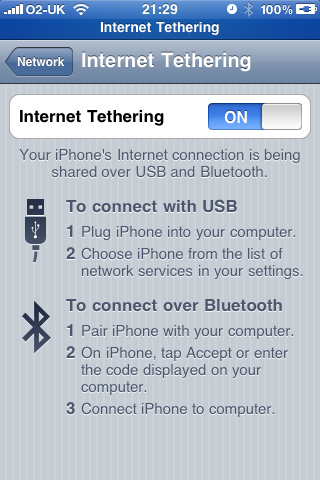
Tethering refers to the practice of sharing your mobile phone’s cellular data connection with external devices connected by Bluetooth or a serial cable. For example, you might activate tethering on an iPhone and use your mobile data on a connected laptop.

Smartphones generally do a very good job of providing transparent tethered data to connected devices (and hiding these from the network!), so it’s not usually possible for the mobile operator to easily identify tethered traffic.

You could perhaps use deep-packet inspection to search out user-agent headers, but this method is not reliable and not scaleable.

When I first started looking into this problem, I came up with the idea of getting the mobile device to make a clear distinction between on-device and tethered data consumption. The ideal identifier to use for this task is the Network Service Access Point Identifier – or NSAPI.

When an application requests a data bearer, the mobile device sends a PDP context activation request to the radio network.

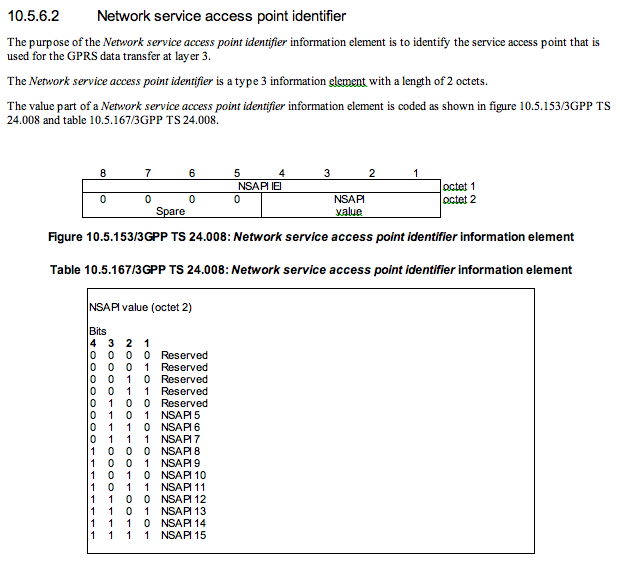
Contained within the PDP context activation request is the NSAPI value. The NSAPI identifies a PDP context within the mobile device and the SGSN. This is necessary because a device may have multiple PDP contexts and application endpoints.

The mobile device usually allocates NSAPI 5 to the first PDP context. The reason for this is that according to the design specs (3GPP TS 24.008), the first five NSAPI values are reserved.

My proposal is to use the previously reserved NSAPI values (0-4) to identify an endpoint that is terminated on an external tethered device.

By using these reserved values the SGSN can distinguish between on-device data and tethered connections. This could be used to apply different network quality of service parameters or even differential billing.

I first proposed this solution in 2002, but it’s going to take widespread industry adoption to make it happen, particularly from the mobile device vendors. But with LTE just around the corner, perhaps this solution is too late?

BT fix Openzone roaming

In July 2008 O2 announced a deal with BT to provide access to over 3,000 BT Openzone premier WiFi hotspots for all their iPhone customers.

There was however a technical spanner in the works, which has prevailed in ruining this bonus ever since. The name of this ‘spanner’ is BT FON.

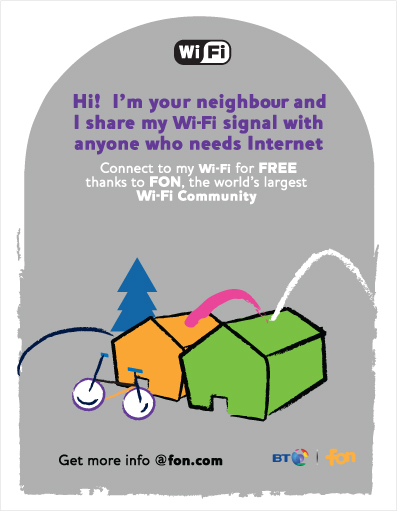
FON is a network of community hotspots, which in the UK is mostly made up of BT Total Broadband customers. As a BT customer you can opt-in to sharing your broadband bandwidth with other FON members. In return you have access to any BT FON community hotspot that you come across.

It’s actually quite a neat idea, but the launch of this service introduced a big problem for iPhone customers trying to use the BT Openzone premier hotspots.

For reasons best known to themselves, when BT set up a BT FON community hotspot they also make it act like a BT Openzone hotspot. This is fine if you’re a BT FON member as you can roam onto either of these networks, but if you’re a subscriber of BT Openzone through a partner like O2 then you only have access to the BT Openzone premier hotspots.

Most smartphones remember known WiFi networks and will automatically associate with them when they are in range. The only way they have of differentiating between networks is the network name – or SSID.

If you save the “BT Openzone” SSID on your smartphone then it will attempt to use a WiFi hotspot that broadcasts that name whenever it’s in range. This allows the device to seamlessly move between WiFi access points and cellular data without having to ask you each time.

The problem for O2 customers is that when have registered with BT Openzone and saved it as a known network, your smartphone will blindly associate with any hotspot which claims to be “BT Openzone”. This includes the BT FON hotspots for which you don’t have access!

When this happens your smartphone effectively goes offline and apps which rely on a data connection stop working until you move out of range. The only remedy for this is to remove BT Openzone from the known networks list, which is an inconvenience and negates the benefits of a BT Openzone subscription.

Now finally it seems that BT are addressing the problem. They are hastily updating residential home hubs and changing the broadcast SSID from “BT Openzone” to “BT Openzone-H”.

Thank you BT. It’s only taken you 4 years to sort this mess out.

Google Maps API

Google have announced that they will introduce usage limits and start billing excess usage fees for their Google Maps API from 1st January 2012.

The free usage limit has been set at 25,000 map loads per day. If you exceed this limit your choices are:

Excess usage is billed at $4 per 1,000 map loads.

What happens if you do none of these?

Your maps will continue to function. However if your application qualifies for and consistently exceeds the published Maps API usage limits, you do not have a Maps API Premier license, and you do not enroll for online purchasing of excess map loads, a warning may be shown on your map and a Maps API Premier sales manager may contact you to discuss your licensing options.

While this apparently won’t affect 99.65% of users and is aimed squarely at the high-usage ‘abusers’, one does wonder what plans Google have for widening the net of their haul by reducing the limits even further.

Fortunately developers who use the Maps External Library to embed maps in their Android or iOS apps shouldn’t be affected, but again I wonder how long before Google decide to cash-in on this lucrative revenue stream too.

Apple presumably have the same fears. Earlier this year they quietly acquired Swedish mapping technology firm C3 Technologies, so it’s probably safe to assume that they are developing an alternative maps API to challenge Google’s dominance.

While I appreciate that Google is a profit-making commercial enterprise, the manner in which these fees have been introduced is a cause for concern.

It’s akin to a drug dealer giving away free hits and then exploiting the poor addicts once they’re hooked on drugs.

Is this indicative of a new Google business model to get us all using their ‘free’ services and then bleed us dry once we’re all dependent?

Google’s “Don’t be evil” corporate motto might need to be updated soon.

" The first one's free kid ... "