Why I won't buy Philips again

In early 2006 I purchased a Philips 7FF1AW digital photo frame. It worked perfectly for a couple of years, but eventually I wanted to use a larger capacity 2GB SD card and so I checked the Philips support site to see if this was possible.
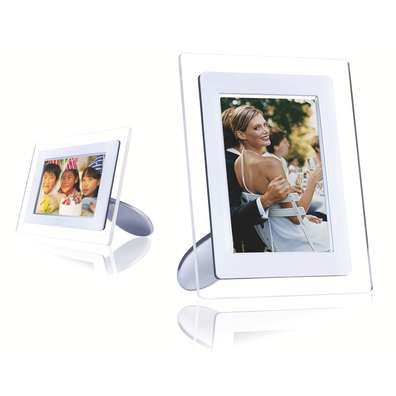
7FF1AW

The firmware on my photo frame was A1.35 and according to Philips’ release notes an update to version A1.51 would provide the following improvements:

  • Extend the SD card support from 1GB to 2GB
  • Increasing maximum photos support number from 4096 to 10240

This was exactly what I needed and so I eagerly downloaded the firmware upgrade tool for Windows. I followed the upgrade instructions to the letter, but at the end of the upgrade process my photo frame simply switched itself off and would not switch back on again. No amount of pressing the reset button or the on/off switch would bring it back to life, so I called the Philips consumer care line.

The care agent listened to my description of the problem and quickly concluded that my photo frame was indeed dead. What could I do about this? “Nothing sir” was the response.

Even though I had diligently followed Philips’ own instructions and used their own software, because I had accepted their Software End User License Agreement (EULA) when I downloaded the firmware upgrade software from their web site, it was apparently all my own fault.

As my 7FF1AW was no longer in warranty, they would not agree to repair it and would not offer a discount on a replacement product.

“All I can suggest sir, is that you purchase a new photo frame” was his closing advice.

I will be buying a new digital photo frame, but it sure as hell won’t be a Philips.

While writing this article I took the time to read through the EULA again, now IANAL but I swear this doesn’t absolve Philips of any liability for causing the untimely death of my digital photo frame.

According to the Philips EULA:

Philips provides the Software ‘as is’ and without any warranty except that the Software will perform substantially in accordance with the documentation accompanying the Software for a period of one year after your first download, installation or use of the Software, whichever occurs first.  Philips’ entire liability and your exclusive remedy for breach of this warranty shall be, at Philips’ option, either (i) return of the price paid by you for the Software (if any); or (b) repair or replacement of the Software that does not meet the warranty set forth herein and that is returned to Philips with a copy of your receipt.

It looks to me like Philips are liable to repair or replace the software on the device as it does not meet the warranty, i.e. it just doesn’t work. What do you think?
Simple terminal app for Mac OS X

I recently had the need to send AT commands to a USB modem while it was connected to a Mac using a serial interface. With no ‘terminal’ type application immediately obvious (perhaps I’m wrong?) I found this cunning use of screen to achieve the same results.

In my example, the serial interface is /dev/tty.wwan connecting at 9600 baud.

screen /dev/tty.wwan 9600

To quit screen use Control-A and then Control-\

Other available options:

cs8 or cs7

Specify the transmission of eight (or seven) bits per byte

ixon or -ixon

Enables (or disables) software  flow-control  (CTRL-S/CTRL-Q) for sending data

ixoff or -ixon

Enables  (or  disables)  software  flow-control for receiving data

istrip or -istrip

Clear (or keep) the eight bit in each received byte

GA-MA69VM-S2 embedded audio – FAIL!

Another story of technical trials and tribulations to share in case it helps someone else out there in Google search land.

I had been attempting to stream live analogue audio from the ‘Line In’ jack on my motherboard’s embedded sound card, but no matter which settings and drivers I used, the resultant digital output always included a constant annoying clicking noise.

The motherboard is a Gigabyte GA-MA69VM-S2 which has the AMD ATI SB600 chipset and Realtek ALC888 audio codec. I am running Fedora 9 and used the snd-hda-intel kernel module. I found plenty of suggestions about adding various module parameters to modprobe.conf, including enable_msi=1, position_fix=2 and model=6stack-dig, but none had a positive effect. I also checked the interrupts and disabled any conflicting hardware, but still no joy.

In desperation I gave up on the embedded audio and purchased a cheap Asonic 16-bit PCI sound card (£5.50 from Ebuyer). This card has the C-Media CMI8768 chipset and uses the snd-cmipci kernel module. This setup worked out of the box and provided crystal clear audio without changing any other settings, so I can only conclude that either the embedded ALC888 or ALSA drivers are broken in some way.

In conclusion, if you are experiencing a similar issue my advice is to ditch the embedded audio altogether and use a different card.

Review: iPeng 1.0 for iPhone

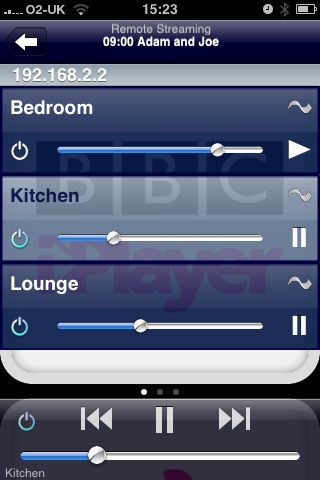
Having written a previous post about the iPeng SqueezeCenter skin for iPhone, I was interested to see the iPeng iPhone application in the Apple iTunes App Store.

iPeng is a fantastically useful application which allows you to browse your SqueezeCenter music collection and control Squeezebox devices from an iPhone. In fact in terms of functionality it is very similar to the Squeezebox Controller, which generally retails for around £175. So at a price of £5.99 ($9.99) on iTunes, iPeng is excellent value for money.

The application makes good use of the iPhone’s swipe gestures and touch-screen interface to facilitate simple switching between Squeezebox devices. It also allows you to control the volume of individual clients and add or remove Squeezebox clients from a synchronisation group. Having the power to control all your devices from the palm of your hand comes in particularly useful when moving around the house, negating the need to be near devices to use infrared controllers.

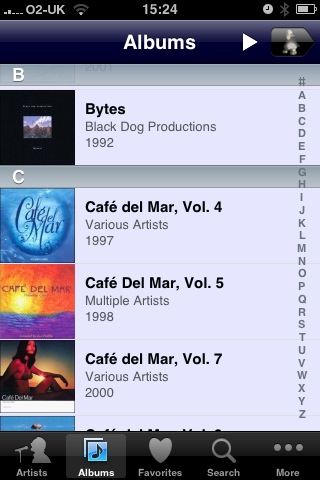
Browsing your music collection is again very simple and cover art is displayed when available. If I could add one wish it would be for the iPod type cover-flow view, perhaps this will come with a later update?

Overall, a superb application which functions exceedingly well. If you have a Squeezebox (or multiple Squeezeboxes) and an iPhone or iPod Touch then do yourself a favour and download this application.

Rodent powered UPS?

Below are instructions taken from the user guide of the Plexus MV 1000VA UPS from Ebuyer:

When you find the battery is badness (for example: the time of power supply are being shorten), you should change it on time. Please contact with the dealer, and assure whether being needed to change the battery charge. The process of changing must be operated by eligible people. Pay attention to the following matter: the battery charge may bring to the electrical shock and short-circuitry, so when you operate, you should pick off the watch, ring, or others mental goods. You should use the tool with the insulated handle. Not to throw the wasted-battery charge into the fire, for the battery may be easy to explosion. You don’t open or destroy it, because the liquid in the battery is rodent, and it is harm to your skin and eyes. Please take the wasted-battery charge to recycle station or sent it to our company for recycling.