Dropbox & EncFS on OS X Lion

I previously wrote about a method for creating a super-secure filesystem using Dropbox’s cloud storage.

After updating to Mac OS Lion I struggled to get the MacFusion GUI to work and so I wrote an application to automate the mounting and unmounting of the EncFS filesystem.

I also took the opportunity to switch from the now abandoned MacFUSE to Fuse4X, which is a properly maintained fork of MacFUSE started in June 2011.

The install procedure is much simpler than before, you install Fuse4X and EncFS, but instead of using the MacFusion GUI you just call my script instead.

To the instructions!

First download and install Fuse4X and a version of EncFS which uses the Fuse4X APIs. Thanks to Simone Lehmann for providing an EncFS Mac installer at http://www.lisanet.de/?p=128 (also mirrored here).

To create a new encrypted volume (stored locally at first to prevent the EncFS key from being synchronised with Dropbox):

encfs ~/Desktop/_Encrypted ~/Documents/_DropSec

Answer ‘yes’ when prompted to create the new folders and choose ‘p’ for pre-configured paranoia mode (256-bit AES encryption). Enter a secure EncFS password when prompted and you’re done.

Now the filesystem has been created we can deal with securing the key.

umount ~/Documents/_DropSec
mkdir ~/.keys
mv ~/Desktop/_Encrypted/.encfs6.xml ~/.keys/dropsec.xml

The commands above move your key from the EncFS filesystem into a hidden folder in your (local) home directory

Now move the entire ~/Desktop/_Encrypted folder (minus your key) into your Dropbox:

mv ~/Desktop/_Encrypted ~/Dropbox/

Finally download my DropSec application and copy it to your Applications folder.

The first time you run DropSec it will prompt you for your EncFS password which it stores in your local login keychain. The password must match the secure password you set in a previous step.

To mount or unmount the encrypted filesystem simply run the DropSec app. For convenience copy it to your Mac OS Dock for quick access.


Tips for cyclists

Wearing team colours won’t help you ride like Lance Armstrong, any more than putting on a Man United shirt helps you score goals like Wayne Rooney.

It doesn’t matter who you are or what shape you are in – Lycra is not flattering.

Try lifting your head and sniffing the air instead of the bum crack of the cyclist in front.

Having a cycle that weighs less than a bag of sugar won’t help you win le Tour de France.

Fitting a bell will not interfere with the delicate balance of your cycle.

Pavements are meant for pedestrians.

The UK road network is designed for motor vehicles. If you’re going to use it, abide by the rules.

You know those mysterious boxes with red, amber & green lights? Those are traffic lights. Yes, they apply to you too.

Ride in single file on narrow or busy roads and when riding round bends – like the Highway Code instructs you to.

It’s not embarrassing to be seen using cycle lanes instead of busy roads, so for everyone’s sake make use of these when they are available.

Public urination is just that. Calling it a “nature break” doesn’t make it any less disgusting and unsanitary.

Satellite TV Upgrade Pack?

The image above is of a jiffy bag that I received in the post this morning.

Being the wary soul that I am, I was immediately suspicious of this package and so inspected it in more detail.

On face value it looks like an official upgrade pack, perhaps from the satellite broadcaster BSkyB? They do occasionally update their viewing cards and so this seemed quite likely.

But on closer inspection I spotted this small-print:

This package contains promotional material from Virgin Media.

I should have guessed as much when I saw that it was addressed to “The Occupier”. This is a well known tactic of Virgin Media to stop their tat being classed as addressed mail and thereby sidestepping the Mailing Preference Service. I’ve never been able to shake off Virgin’s junk mail, I don’t think anyone ever has.

So this package isn’t anything to do with satellite TV at all. It’s yet more pointless unsolicited junk mail from Virgin Media.

A quick bit of web searching and I found a recent Advertising Standards Authority (ASA) Adjudication on Virgin Media Limited.

The conclusion of the adjudication was that Virgin Media had breached two Committee of Advertising Practice codes and that their advert was misleading.

The ASA noted the text “This package contains promotional material from Virgin Media” was considerably smaller than the main copy on the front of the envelope, was at 90 degrees to all the other text on the envelope, and was located far to the right of the envelope under a series of reference numbers.  We considered that the combination of those factors meant it was likely to be overlooked by consumers and that consumers would therefore be unaware that the envelope contained promotional material from Virgin.

We noted Virgin considered the text “Please see inside for Legal Stuff” indicated that the envelope contained promotional material.  However, we considered that that statement was unlikely to be understood by consumers to mean that the mailing was a marketing communication. We considered, for instance, that the placement of that statement, combined with the likelihood that consumers might not have noticed the text which identified that the mailing was from Virgin, could lead consumers to think that the envelope contained legal and other information, and possibly technology, from their satellite TV provider which would result in an upgrade to their existing satellite TV package.

We considered the ad did not make clear that it was a marketing communication, or that it was sent with commercial intent, and concluded that it breached the Code.

The ASA adjudication is dated 2nd November 2011, but I received this package today on 16th November 2011.

It looks like Virgin have subtly altered the layout on the envelope and moved the line about it being promotional material, but this doesn’t make it any less misleading.

A complaint to the ASA has been submitted. Let’s see what happens this time!

Update!

The ASA response:

Further to my letter of 21 December, we have now received a response from Virgin Media. They have assured us they will not use the ad or similar ads again and that in future mailings they will make clear that they are marketing communications. We consider that this will resolve the complaint without referring the matter to the ASA Council, and will consequently be closing our file.

In a formal investigation, if the ASA Council decides that an ad is in breach of the Code, the advertisers are told to withdraw or amend it. Because Virgin Media has already assured us that the advertising you complained about has been withdrawn, we consider there is little to be gained from continuing with a formal investigation, which would achieve the same outcome.

So a small victory for the small guy then.

Opting-out of Google Location Server

In September Google announced their intention to comply with requests from European data protection authorities and offer a method for opting-out of their Google Location Server (GLS).

Peter Fleischer (Google’s Global Privacy Counsel) has today published an update on the European Public Policy Blog and Google have added specific opt-out details on their Maps Help page.

What is GLS? It’s a location service that most Android smart phones use to request your current location. Your smart phone could simply use satellite positioning (GPS) to accurately pin-point your location, but GPS consumes battery and generally only works outside.

Instead of using GPS your smart phone attempts to discover your location by scanning for nearby WiFi access points. It gathers the relative signal strengths, network names and unique network addresses and sends the details to the Google Location Server (GLS) for processing.

The GLS checks its database of WiFi access points and returns an estimate of your location. If your local WiFi access points are known and already in the GLS then it will return a fairly accurate location, almost on a par with GPS, for a fraction of the power.

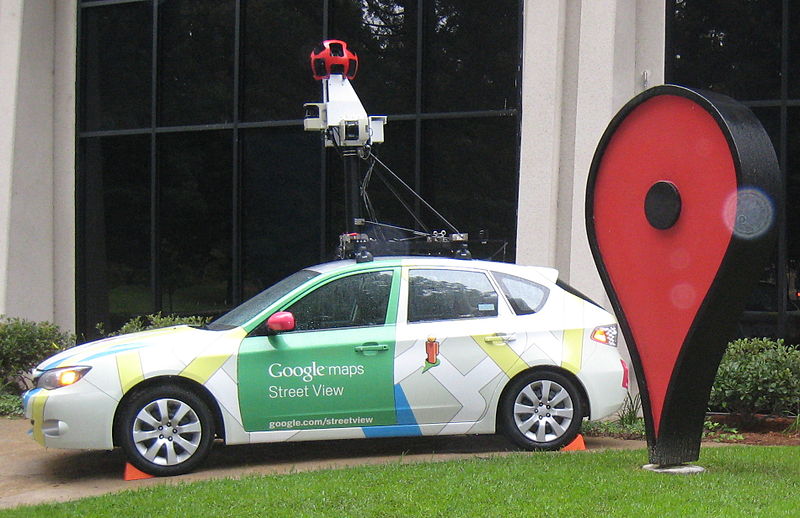
Google built their WiFi location database while collecting data for Google StreetView and it is constantly updated and augmented by smart phone crowdsourcing. The manner in which Google collected this data has been controversial and Google have been investigated for breaches of interception laws. As a result Google has been forced to offer this opt-out scheme to appease regulators.

So what do you need to do to ensure that your own WiFi access point is not included in the Google Location Server database?

Simply append “_nomap” to the SSID of your WiFi network and Google will remove it from their database the next time a device sends information to the GLS.

It’s undoubtedly an inconvenience to change your WiFi network name and re-associate all your wireless devices, but if this scheme is adopted by all the mapping services (Microsoft, Apple, Skyhook) then it could well be worth it.

Android shortcuts

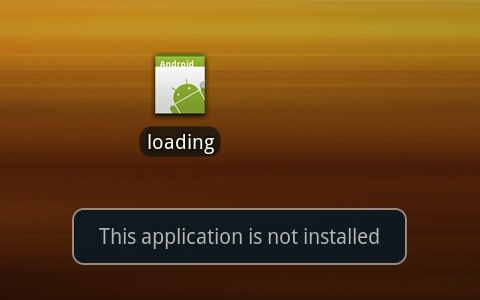
I’m frequently being offered app updates via Android Market. Most of these work without a hitch, but occasionally I update an app and then find that it no longer runs from an existing shortcut. The device reports “Application is not installed on your phone“, or the shortcut icon has disappeared altogether.

The problem stems from the way in which Android creates shortcuts. An Android shortcut is not simply an alias to the application binary, it’s actually an Intent that directly specifies the ComponentName it should run.

It’s not enough to use the same manifest package name and digital certificate when you publish an update to your app.

For any existing shortcuts to carry on working you also need to ensure that the ComponentName is identical, which means making the entry point Intent the same as it was in the previous version.

In short, keep your ACTION_MAIN Intent the same and your app will update cleanly.