Issue 4581: Allow user apps to set the system time

There are many aspects of Google’s Android that make it the most exciting mobile operating system in many years, however it also has some rather obvious and frustrating omissions.

Issue 4581 (as it has become known) is an example of one such omission.

The date & time settings menu on an Android device does not allow the user to set the time to a granularity less than minutes. This means that you cannot accurately set the system clock to even within a few seconds.

The Android developers have wrongly assumed that all mobile operators support the Network Identity and Timezone (or NITZ) GSM specification for sending date & time to mobile devices, when in reality many do not.

If your mobile operator does not broadcast the NITZ information then your Android device will not automatically synchronise. In common with most computers the system clock on your mobile device may drift and after a few weeks can be many seconds or even minutes out of sync.

As accurate timekeeping is necessary for many applications, most other operating systems use an IP based time protocol – Simple Network Time Protocol (or SNTP) – to keep the system clock in sync with a global pool of atomic clocks. Android however does not include a SNTP client, nor does it allow installed applications to set the system clock either. So currently (as of Android 2.2 “Froyo”) it is not possible to keep your device clock accurate.

If you too feel that this is absurd, please visit the Issue 4581 page and add your vote for this issue.

UPDATE – 21st July 2011

Google have responded officially and closed this issue:

Hi, it is by design that applications can not change the time. There are many subtle aspects of security that can rely on the current time, such as certificate expiration, license management, etc. We do not want to allow third party applications to globally disrupt the system in this way.

I don’t agree with this explanation as device vendors are now providing IP based clock update mechanisms which co-exist with DRM, see HTC – Sensational at timekeeping for an example.
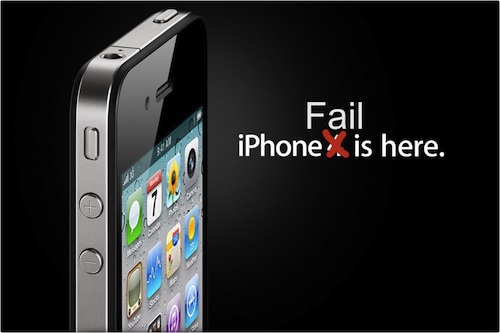
"Just avoid holding it in that way"

Those were the words of advice offered by Apple CEO Steve Jobs to a customer who emailed Jobs after experiencing antenna performance issues with his new iPhone 4 purchase.

What’s going on Apple?

When the original iPhone went on sale in June 2007 it changed the mobile industry overnight. This is not an overstatement. The traditional mobile handset manufacturers had become lazy and lethargic, churning out what was essentially the same product year after year with minor tweaks and trendy colour variants. Apple’s original iPhone product was nothing short of revolutionary in terms of user interface, style and engineering.

Apple were allowed to capitalise on their advancements because lazy handset vendors were unprepared and unable to react quickly enough. Many attempts were made to duplicate iPhone’s innovative touch screen user interface, most notably the much heralded Palm Pre, but none of them could claim to be a success. But that was then.

It took another relative newbie to the world of mobile devices to mount a serious challenge to Apple’s dominance – and that was the mighty Google. While Apple was content with making minor improvements to their devices, Google was plotting a revolution of their own.

Step up Google’s Android platform. Android has slowly gained momentum and adoption in the smartphone marketplace and recent handsets such as HTC’s Desire have finally become a credible alternative to iPhone.

Some would argue that Android’s capabilities have actually surpassed those of iOS (the new name for iPhone’s operating system). Credit for that in part is due to the decision to release Android as Open Source, while iOS has remained proprietary and tightly controlled by Apple – much to the chagrin of mobile application developers. In the first quarter of 2010 Android devices outsold Apple for the first time – and by quite some margin. Apple’s reaction was to sue HTC.

iPhone 4 Fail

So what of iPhone 4? Apple are in the unusual position of playing catch-up but this latest addition to the iPhone line up has failed to impress. Apple’s marketing campaign for iPhone 4 claims “This changes everything. Again.” Something has definitely changed, but not in a good way.

One day after the official iPhone 4 launch and customers are already complaining of poor antenna performance, yellow tinted displays and the ease of accidentally smashing iPhone’s “ultradurable” aluminosilicate glass panels. These problems would ordinarily have been identified during pre-release testing, but Apple’s paranoia dictates that test devices cannot be used without their protective plastic shroud and so early adopters have unwittingly become iPhone 4’s beta testers. There are parallels here with Microsoft’s old approach to product development, this is not something that Apple consumers are used to.

Customers forgave the original iPhone for its idiosyncrasies, restrictive capabilities and lack of features because it was something very special. Now there are many new mobile handsets that can justifiably claim to be special. iPhone 4 and the iOS 4 software update have brought iPhone up to a comparable specification level, but iPhone has lost its crown as the undisputed smartphone champion and the next generation are snapping at its heels.

Green is Bad – at least where WD disks are concerned

I don’t have much luck choosing hard disks – see The Seagate fiasco

Having replaced all the dodgy Seagate disks in my RAID array with new Western Digital Caviar Green (WD6400AADS) drives in February, I have already stumbled upon a big new problem.

It would appear that these Caviar Green disks achieve some of their stated green-ness by using a ‘clever’ energy saving system which automatically parks the hard disk heads (moving them off the platters) if the disk has been idle for over 8 seconds. This apparently reduces aerodynamic drag while the platters are spinning and achieves some microscopic power savings.


According to the published WD Caviar Green spec sheet, the disks are rated for 300,000 of these head load/unload cycles during the warranted lifetime of the disk. I checked how many load/unload cycles my new disks had performed so far in their short 1,840 hours (76 days) of life and gasped at what I saw – 234,000 !

My disks had consumed 78% of their rated load/unload cycles in just over two months of usage! Why was this happening?

Some quick investigation revealed that this is due in some part to my using the disks in a Linux system and has been exacerbated by including them in a RAID array. I calculated that on average the disk heads have been loading and unloading every 30 seconds since I first started using them. That would mean an expected life span of just over 100 days 😯

I needed a solution – and quick. WD are not oblivious to this issue, but have not exactly been forthcoming in their marketing material to bring this to your attention. They have however published a knowledge base article – In Linux the S.M.A.R.T Attribute 193 Load/Unload counter keeps increasing on a SATA 2 hard drive – which states the following:

WD drives are designed to reduce power consumption, in part by positioning the heads in a park position (unloading the heads) and turning off unnecessary electronics, resulting in substantial power savings. WD defines this mode as Idle 3.

Some utilities, operating systems, and applications, such as some implementations of Linux, for example, are not optimized for low power storage devices and can cause our drives to wake up at a higher rate than normal. This effectively negates the power-saving advantages of low-power drives, such as WD GreenPower™ models, and artificially increases the number of load-unload cycles. Although the increase in load/unload cycles is within design margins (drive has been validated to 1 million load/unload cycles without issue) a balance between life of product, logging requirements, and low power consumption can be achieved depending on what is critical to the system. Present SMART normalized values have not been re-normalized to 1 million cycles so advisory reporting on this attribute does not mean failure of product.

WD also released a MS-DOS software tool called WDIDLE3.EXE which can be used to disable the idle mode feature altogether – RE2GP Idle Mode Update Utility (backup mirror site)

This firmware modifies the behavior of the drive to wait longer before positioning the heads in their park position and turning off unnecessary electronics.

It’s not exactly plain sailing to use this tool, particularly if you are running Linux. I found the simplest route was to copy the utility to the DOSAPPS directory of an Ultimate Boot CD, rebuild the ISO image, boot off it into FreeDOS and run it from there. After executing wdidle3.exe /d I saw the good news that “Idle3 Timer is disabled” on all disks and the Load_Cycle_Count counter has been permanently halted *phew*

I have hopefully saved my disks from an early demise but I fear that the amount of overuse they have suffered already may have caused permanent wear damage. I guess only time will tell.

QED-uk.com and Mallplace.com spam

Well here’s an interesting thing. I registered with QED-uk.com (Miller Brothers Retail Ltd t/a Quality Electrical Direct) in July 2006 using an email address unique to that site.

Two years later I have been receiving spam emails from mallplace.com all sent to this same unique address.

Originating IP: 213.171.196.167
from: information@mallplace.com
subject: Best new website award goes to mallplace.com
Date: Tue, 23 Dec 2008 17:20:35 +0000

Originating IP: 213.171.196.167
from: information@mallplace.com
subject: Mallplace, January Sales!
Date: Fri, 26 Dec 2008 14:48:41 +0000

Originating IP: 213.171.196.167
from: information@mallplace.com
subject: mallplace.com given 5 star review by webuser magazine!
Date: Sun, 28 Dec 2008 21:26:51 +0000

So how did the mallplace.com spammers obtain my address I wonder?

The address of QED-uk.com is Miller House, Ogden Road, Doncaster, DN2 4SQ and the whois record for mallplace.com shows that the registrant is “pollock new media” of Miller House, Ogden Road, DN2 4SQ.

QED-uk.com’s web site makes this claim regarding privacy: “As a UK based company we abide by the rules and regulations of the Data Protection Acts of 1984 and 1998, and as such no information supplied to us will be given to or used by any third parties.”

Perhaps someone from Pollock New Media / Mallplace.com would care to comment on their association with Miller Brothers Retail Ltd / QED-uk.com?

UPDATE 17/12/2009

I am now receiving spam mail from ‘liGo Electronics <ichoose@ligo-electronics.com>’ to the same unique address that I used with QED-uk.com. This time they claim “You have received this email as a special customer of liGo.”

Oh really?

Mac OS X 10.5.5 software update killed my MacBook

Having read of the security and performance issues that have been addressed in Mac OS X 10.5.5 I launched Software Update and proceeded to upgrade my MacBook from 10.5.4 to 10.5.5.

After the update and subsequent reboot my MacBook was sluggish and unresponsive. iTunes took forever to do anything and the spinning wheel was more evident than usual. I eventually managed to close iTunes and rebooted again just in case.

Big mistake!

The machine now refuses to boot up at all and shows just a flashing question mark icon. I found a relevant Apple Support article – A flashing question mark appears when you start your Mac – and followed the suggestions therein.

I booted from a Leopard DVD and loaded Disk Utility. At first it did not recognise my SATA disk, so I tried resetting the parameter RAM (PRAM). After the next reboot Disk Utility could now see my disk, but the ‘Repair Disk’ command resulted in the following error:

Verify and Repair volume “Macintosh HD”

Checking Journaled HFS Plus volume.

Invalid B-tree node size

Volume check failed.

Error: Filesystem verify or repair failed.

After a couple of attempts at this I gave up. I tried the disk in another MacBook and the same flashing question mark appears, so it looks like the disk is kaput.

Can this just be a total coincidence that a disk that has been working fine for the last year has suddenly developed a catastrophic hardware failure within minutes of updating to 10.5.5 ?