Cookie Monster

On visiting the web site of The Royal Borough of Windsor & Maidenhead you are greeted with this message:

To which if you respond that you don’t consent to receiving cookies you get this message:

What part of “No, I don’t consent to receiving cookies” do they not understand?!

Gmail window in Safari

I like to have a separate Safari browser window for Gmail sessions, without the Safari toolbar or bookmarks bar.

It’s a bit of a pain to set this up each time the browser is reset, so here’s a handy tip for creating a bookmarklet which opens Gmail in an uncluttered window of its own:

javascript:window.open("http://gmail.com/","gmail","titlebar=0");

Save this bookmarklet to the first position in your personal bookmarks bar and you can also access it using the shortcut key Command+1.

EvoCam vs SecuritySpy

The options for network camera recording software are a bit limited on Mac OS. The two most popular products in this space are Evological’s EvoCam and Bensoftware’s SecuritySpy.

So which is best?

On price alone you might be tempted by EvoCam as it costs just $30 (under £20) for an unlimited number of cameras, while SecuritySpy will set you back £30 for a single camera license and a whopping £500 for unlimited camera support.

I’ve had an opportunity to evaluate both products and have come to the conclusion that you really do get what you pay for.

EvoCam does the job well enough and has a more polished user interface, but it also suffers from a major problem that lets it down badly, almost to the point of being unusable. For reasons unknown it ties up the processor for even a simple one camera recording setup.

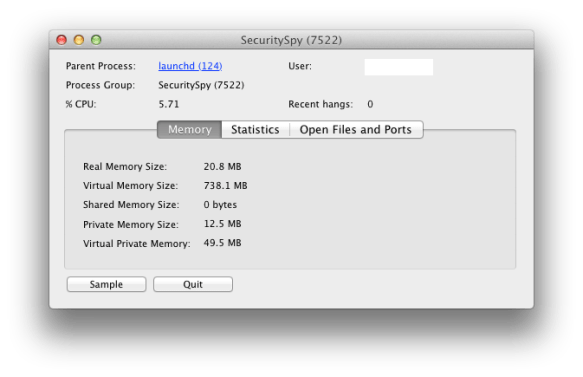
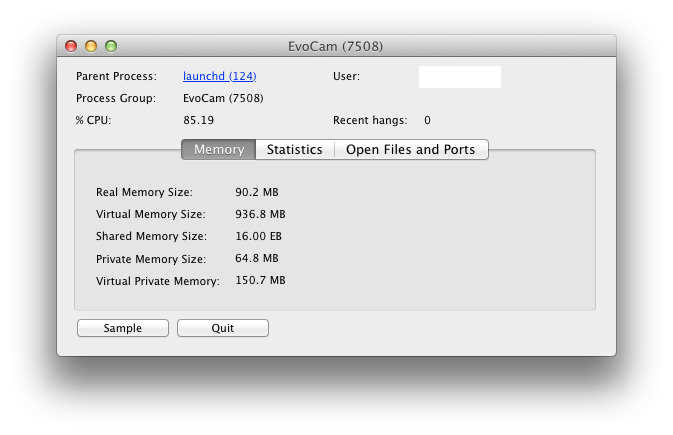
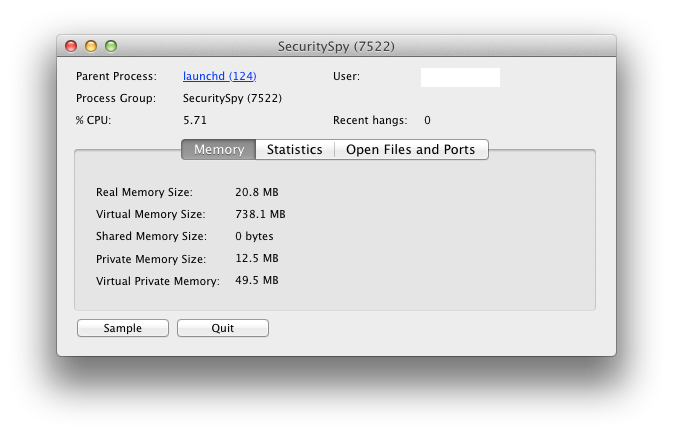
Activity Monitor output taken for identical recording sessions is below:
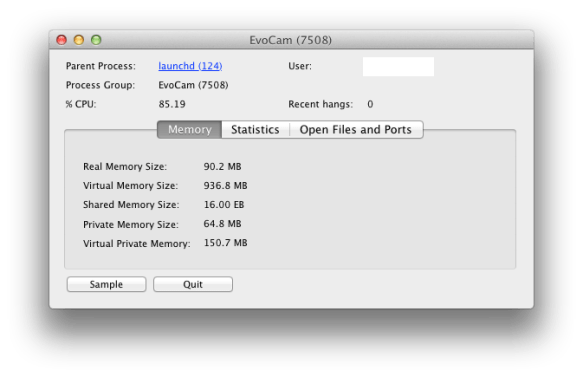
In these examples (from a Mac Mini 2.26GHz Intel Core 2 Duo with 4GB RAM), EvoCam consumes 85% CPU and 90MB real memory, while in comparison SecuritySpy consumes a meagre 6% CPU and 21MB real memory. That’s quite a difference and it’s very noticeable when you try to use the same host machine for other work.

So if you have the luxury of a dedicated powerful server for your camera recording then EvoCam is probably the most cost effective option, but if you want something that works reliably and doesn’t take over your machine then SecuritySpy is well worth the extra investment.


iPhone MMS settings for O2-UK

Do you use an iPhone on the O2-UK network and find that you can no longer send or receive MMS since the last iPhone software update?

It seems that Apple’s carrier bundle settings for O2-UK don’t recognise that some O2 customers aren’t on official iPhone tariffs and so need different MMS settings to the default.

Below are the O2 MMS settings that you should use if you are not on an official iPhone tariff. For example you might be fortunate enough to still be on a Simplicity tariff with unlimited data.

Settings > General > Network > Cellular Data Network > MMS

APN wap.o2.co.uk
Username o2wap
Password password
MMSC http://mmsc.mms.o2.co.uk:8002
MMS Proxy 82.132.254.1:8080
MMS Max Message Size 307200
MMS UA Prof URL (leave blank)

Switch your iPhone off and on again after making these changes and MMS should be fully restored.

Insomniac Mac

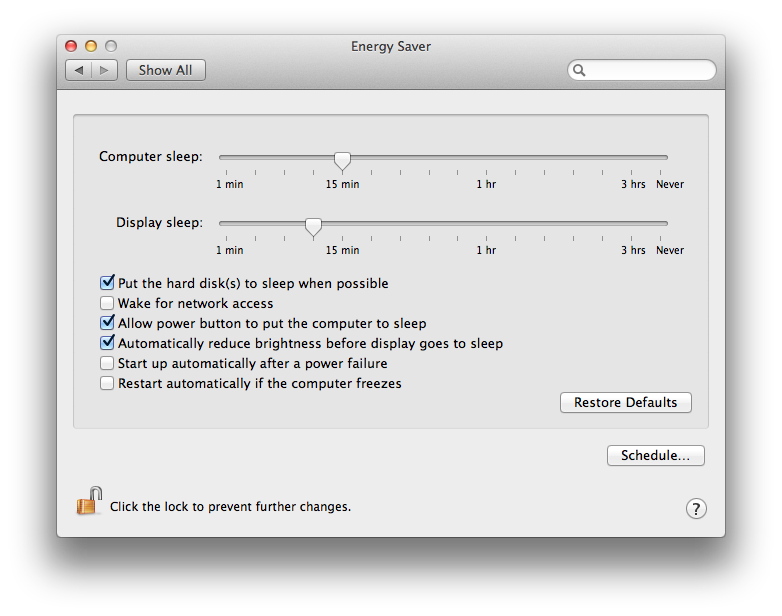
Since upgrading to Mac OS Lion I have been unable to persuade our ageing MacBook to go to sleep when it’s supposed to. The OS X Energy Saver preferences were set correctly, but it would not sleep of its own accord. Putting it to sleep manually worked, but the computer sleep idle timer was just ignored.

I put this down to a quirk of the older hardware and worked around it by defining a nightly sleep schedule, but when our shiny new iMac did exactly the same I knew there must be an application overriding the default behaviour.

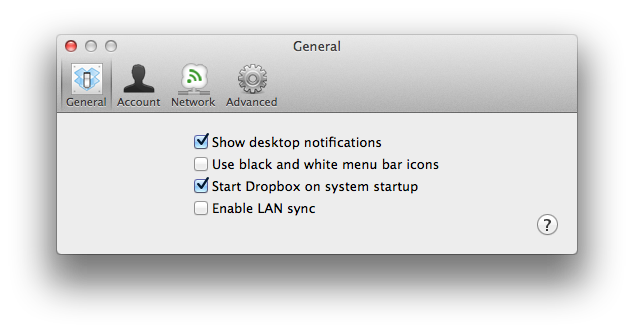
Sure enough after a morning of trial and error and eliminating all the other options, I finally discovered the culprit to be Dropbox LAN sync.

If Dropbox LAN sync is enabled then the Mac won’t put itself to sleep. The mystery is finally solved!

If you’ve disabled Dropbox LAN sync and your Mac is still powering on periodically (like every hour), then make sure you have also unchecked ‘Wake for network access’ in the Energy Saver preferences.

(Note: Mac OS X 10.7.3 & Dropbox client v1.2.52)