All Your MMS Are Belong To China

A warning about the GO SMS Pro messaging app in Android Market.

I have discovered that when used in a particular way the app uploads your private MMS image attachments to a public web server in China (gosms.en.3g.cn)

For example, here’s one I sent earlier –

http://gosms.en.3g.cn/D?f=NPQRRMAE200dI_ViaGoSMS

It doesn’t tell you that it’s doing this and the client settings aren’t obvious. Worst of all there is no way to delete images once they have been posted.

Try it for yourself:

  • Open GO SMS Pro and start composing a new message
  • Add some text and then tap on the paperclip icon to add an attachment
  • In the GO tab, tap Pictures and select an image to attach, then tap Send

You’ll see that instead of a true MMS with an embedded image attachment being sent, your image has been uploaded to a Chinese web server and your message now contains a link to it.

If you are using this app in place of your stock messaging client and want to be sure that your images are sent only to the intended recipient, then I strongly urge you to uninstall immediately.
Thanks Nokia

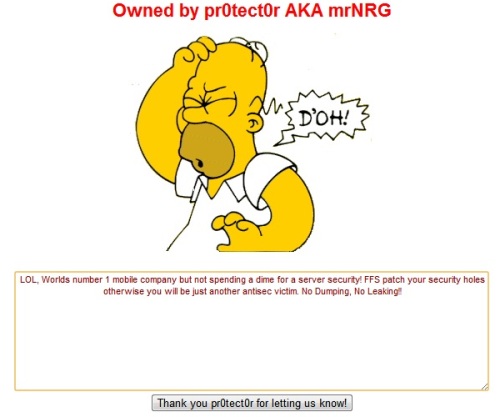
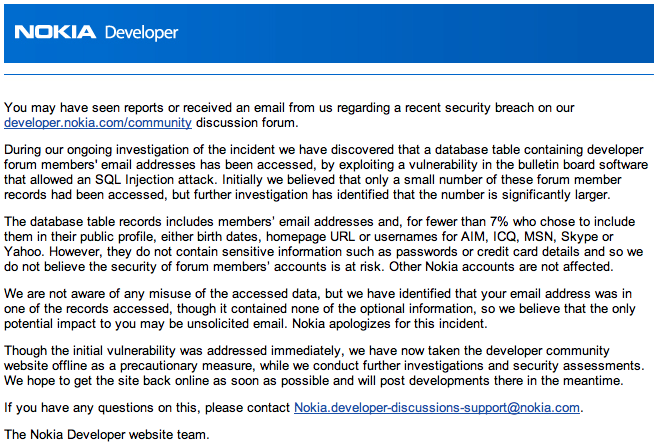
Great, yet another instance of my supposedly secure personal data having been stolen by hackers unknown.

This time the hugely negligent company guilty of not securing their databases adequately was Nokia …

I’m beginning to doubt if there is actually any more of my data out there that’s still private to be stolen in this way. Most of it is now probably in the public domain thanks to the likes of Nokia, Travelodge and Sega.

Setting the local timezone on Drobo FS

Want to fix the local time zone on your Drobo FS?

# cat /etc/profile 
# Set the TimeZone explicitely to PST/DST
export TZ=PST8DST

Aside from correcting the spelling mistake I actually want to use my local time zone (London).

Changing the TZ environment variable to GMT0BST did the trick, not forgetting to add this to /etc/profile too.

Making /Volumes visible in Finder

Since working out how to automount Drobo FS shares I’ve been looking for a way of having my /Volumes folder appear in Finder.

The solution is to use the SetFile command line tool:

/usr/bin/SetFile is a tool to set the file attributes on files in an HFS+ directory.

To make the /Volumes folder visible:

sudo SetFile -a v /Volumes

To make the /Volumes folder invisible again:

sudo SetFile -a V /Volumes

You can apply this to any folder that is invisible by default in Finder.

iTunes Connect Availability Date

What time will an app go live in iTunes when setting an Availability Date in the future?

The answer is quite simple. Assuming your app has been approved and is in the ‘Ready for Sale’ state, it will be published in each App Store territory at midnight local time.

For example, if you have chosen to publish your app in the Australian, UK and US App Stores and set an availability date of 1st June then your app will go live at 0.00 hrs local time on the morning of 1st June in each territory.

The time in London when your app will go live:

  • Australia: 31st May 15.00 hrs
  • United Kingdom: 1st June 00.00 hrs
  • United States: 1st June 08.00 hrs

This means that your app will go live in some territories before it is available in the UK.
